Organize files around the task,
not the folder.
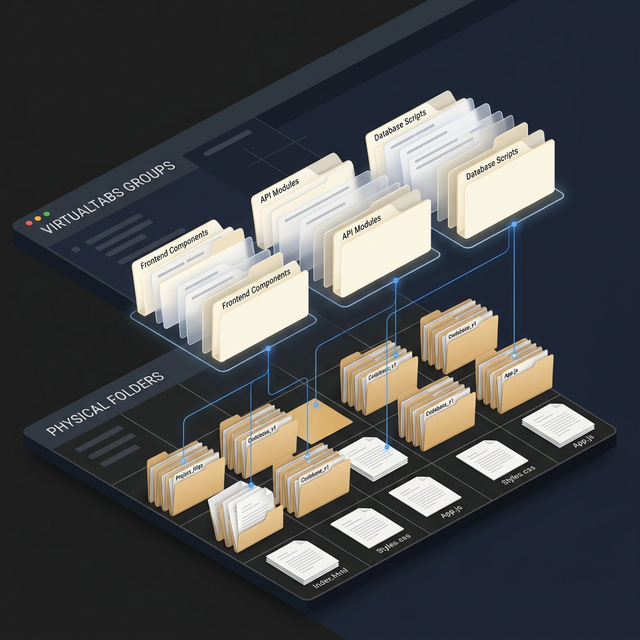
Group files from anywhere in your codebase into one persistent view. MVC, MVVM, monorepo — VirtualTabs keeps context organized so your AI agent doesn't have to guess. View source on GitHub ->
Build context
by task.
Collect related files, shape them into a task view, then choose how to give that scoped context to your coding agent.
Collect files into a task group
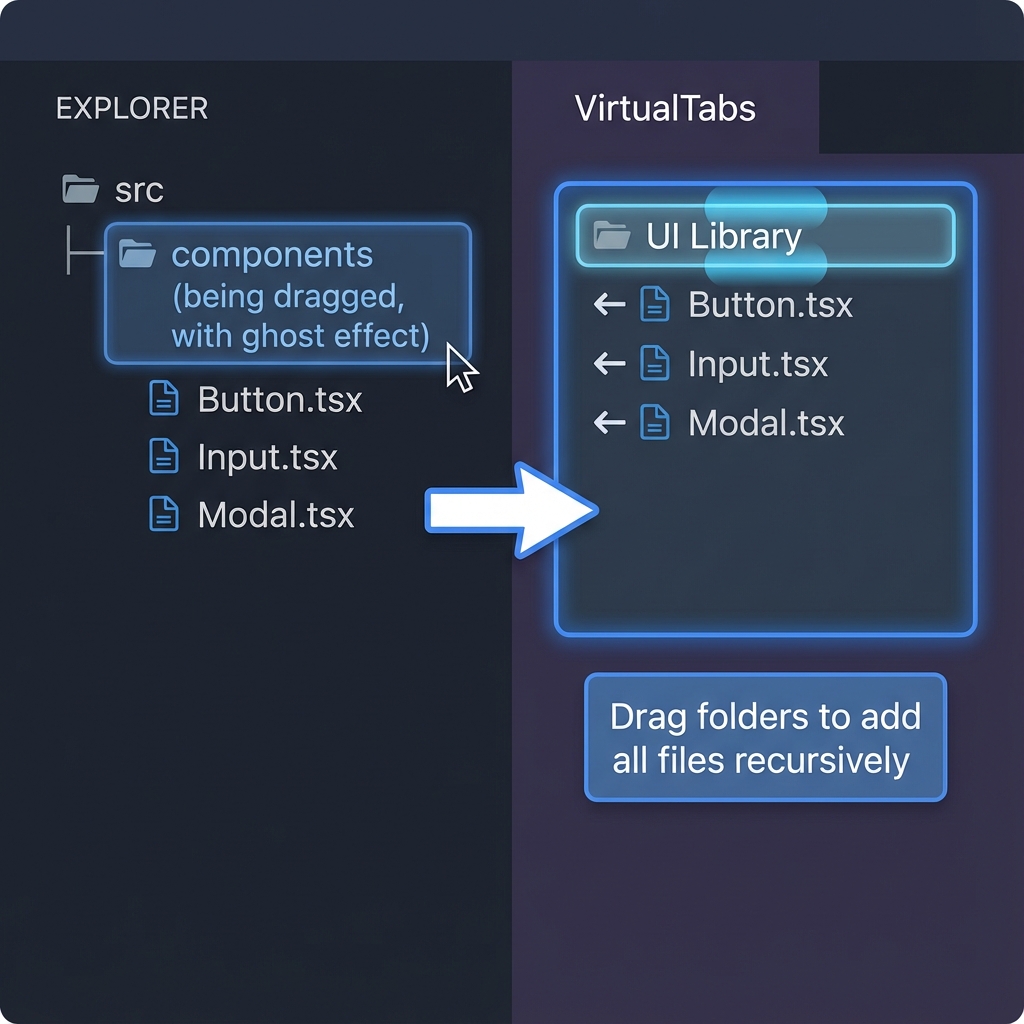
Drag files or folders from anywhere in the repo into one focused group. VirtualTabs gathers the related pieces while leaving the real folder structure untouched.
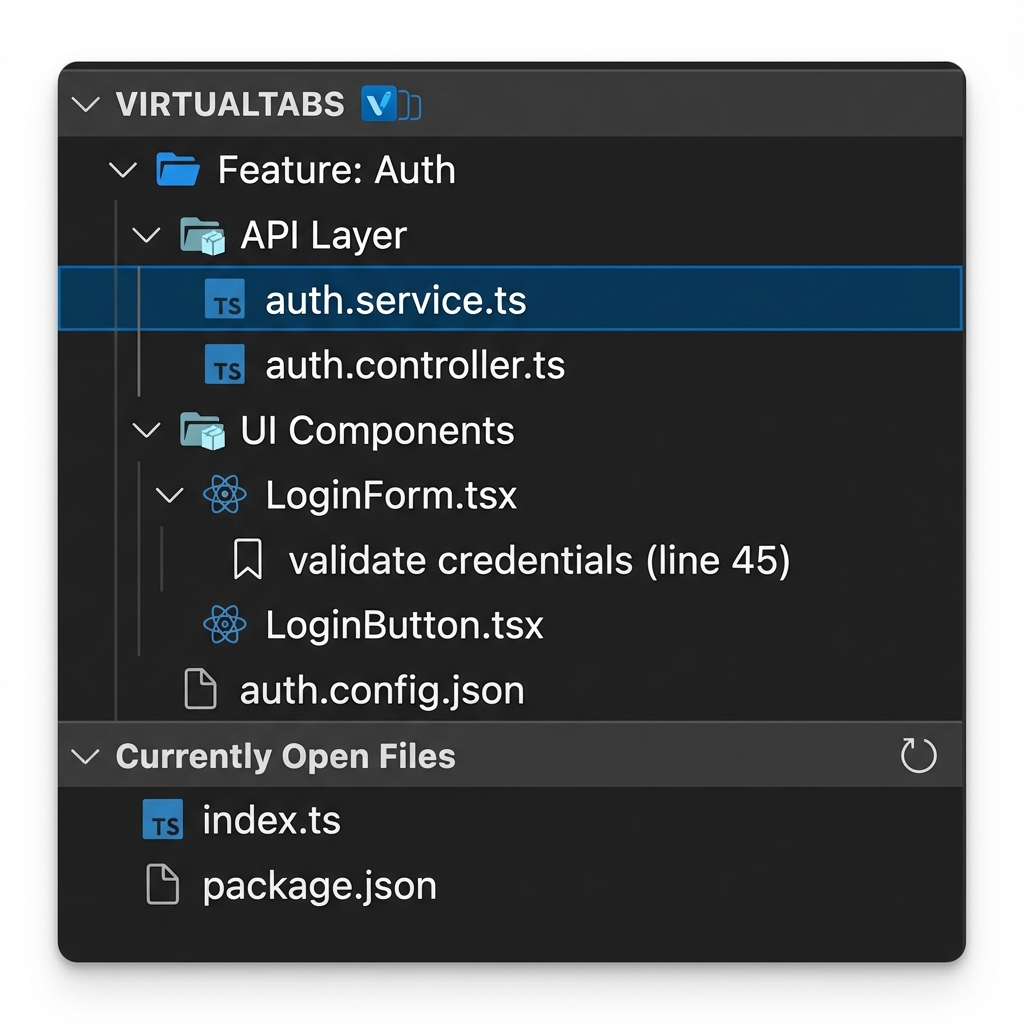
Shape nested groups
Arrange the task by feature, layer, or review pass instead of physical folder paths. The workspace becomes easier to scan without moving files on disk.
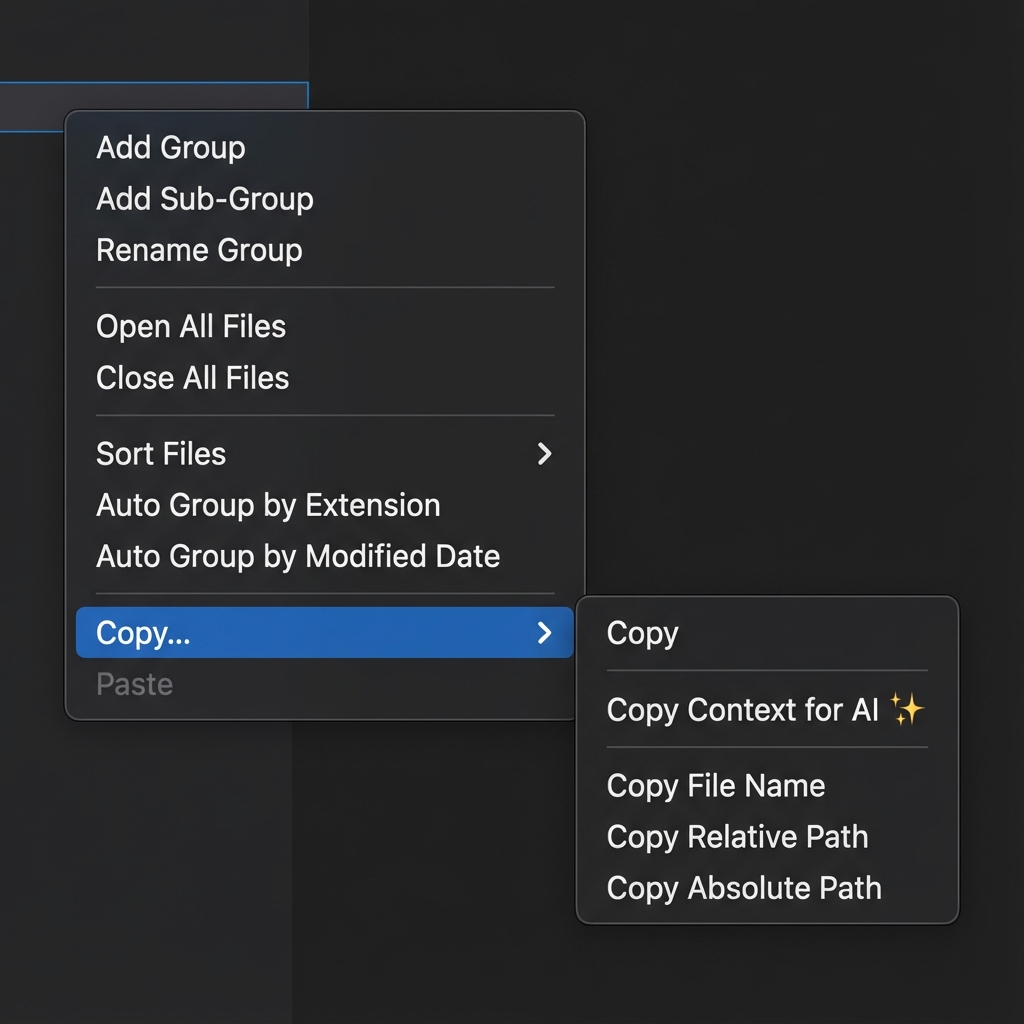
Tip 1 : Copy context from the group
Use this route when you want a portable prompt. Copy task-scoped markdown from the group menu, then paste it into ChatGPT, Claude, or any coding agent.
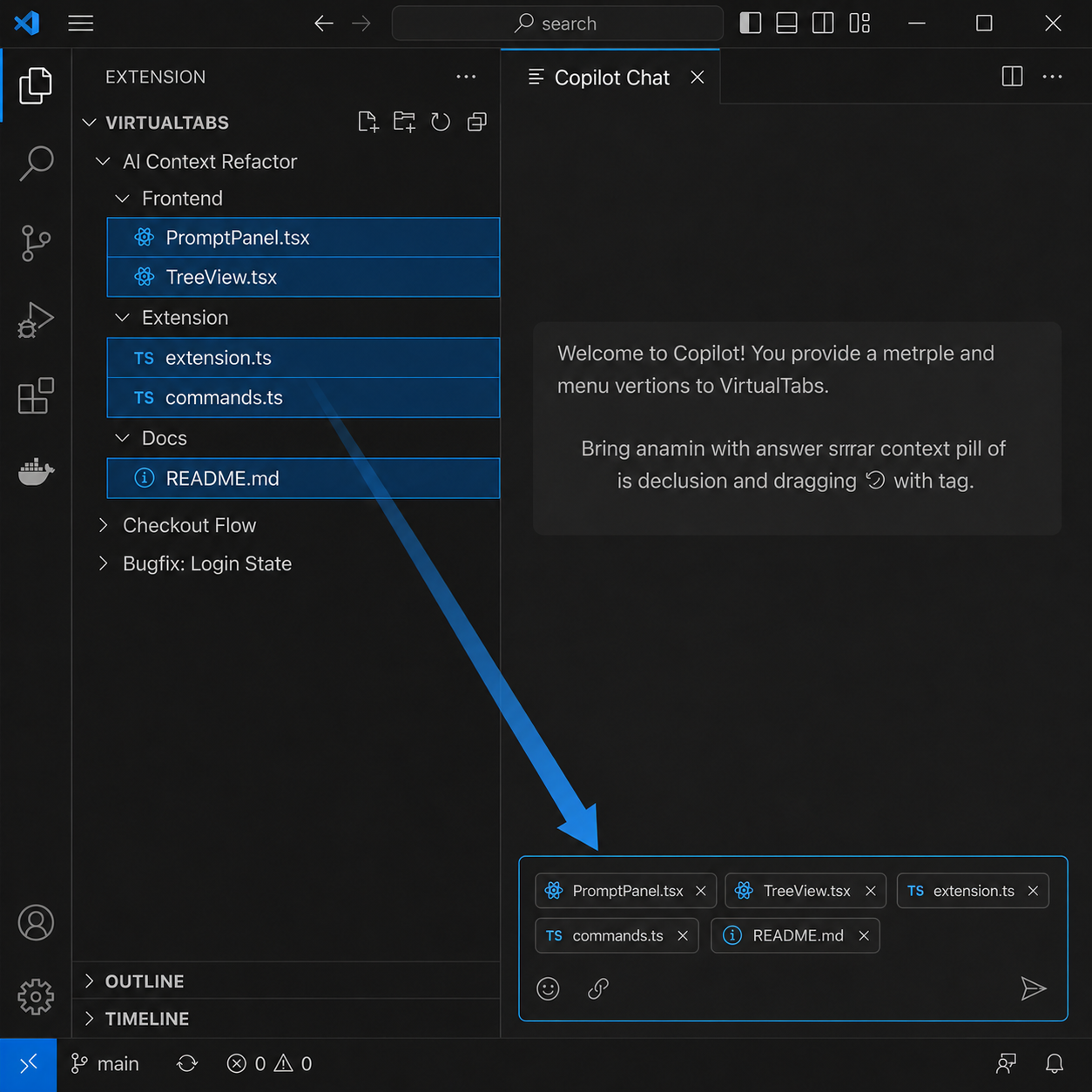
Tip 2 : Drag context into agent chat
Use this route when your agent chat accepts file context directly. Drag the selected VirtualTabs files into the chat box, so the conversation starts with the same curated task scope.
Ask the agent with scoped context
Either route keeps the conversation focused: refactor the grouped files, explain the selected feature, or review the change without dragging unrelated project noise into the prompt.
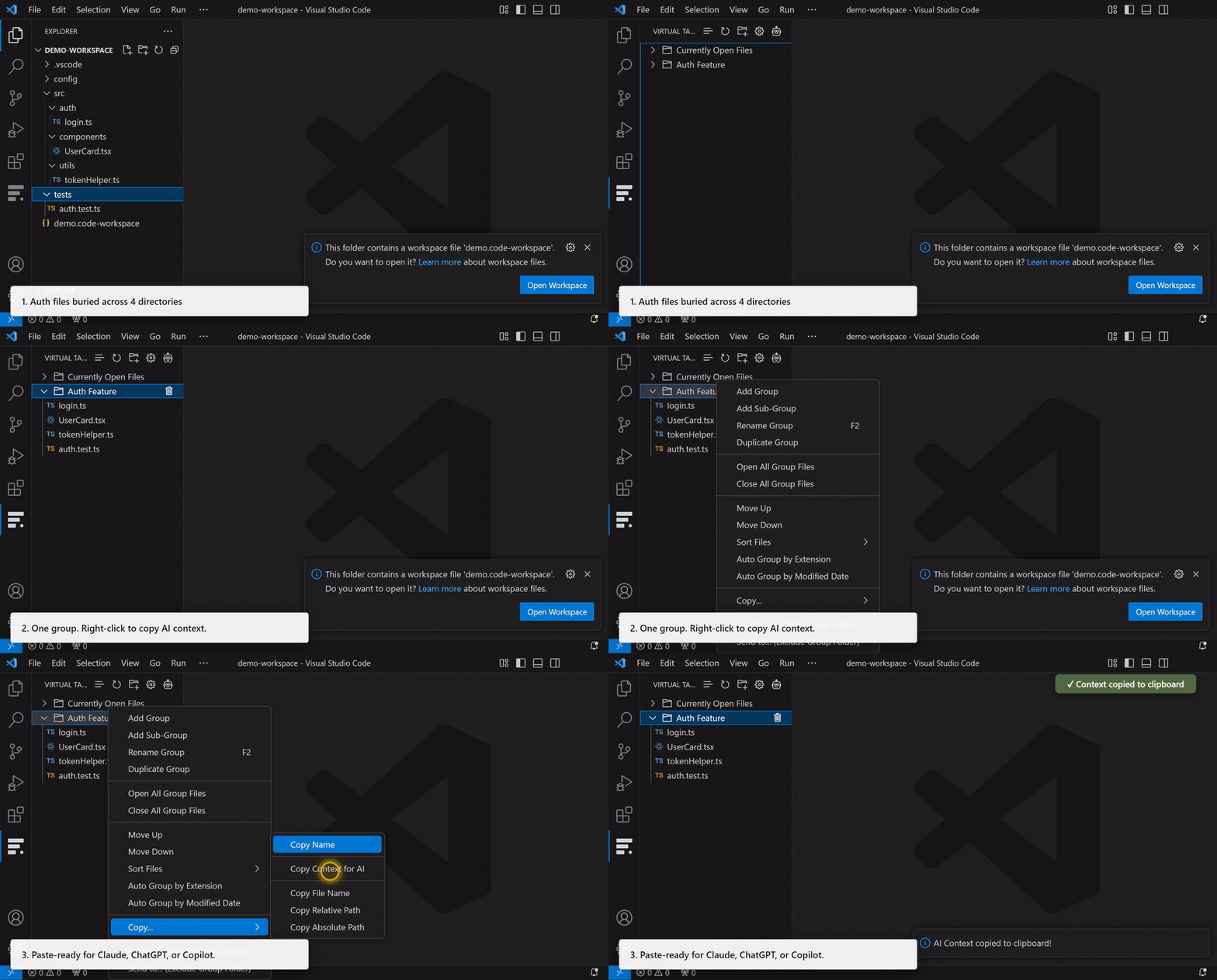
See it in motion.
From scattered files to grouped workspace to AI-ready context — watch the workflow without leaving your editor.
Choose your registry.
Marketplace and Open VSX are treated as equal install paths. For command-line install in VS Code, press Ctrl+P and paste:
VS Code Marketplace
Install from Microsoft Marketplace when you use the standard Visual Studio Code extension gallery.
Open MarketplaceOpen VSX Registry
Install from Open VSX when your editor uses the open extension registry, including VSCodium-style setups.
Open VSXInstall the VirtualTabs agent skill.
Run VirtualTabs: Install Agent Skill and choose Auto Install (Recommended), or use the same canonical Agent Skills CLI command directly.
Connect your agent tools.
After installing the extension, open the VS Code Command Palette and run VirtualTabs: Show MCP Config to generate the right MCP JSON for Cursor, Claude Code, Cline, Kiro, Antigravity, or VS Code.